
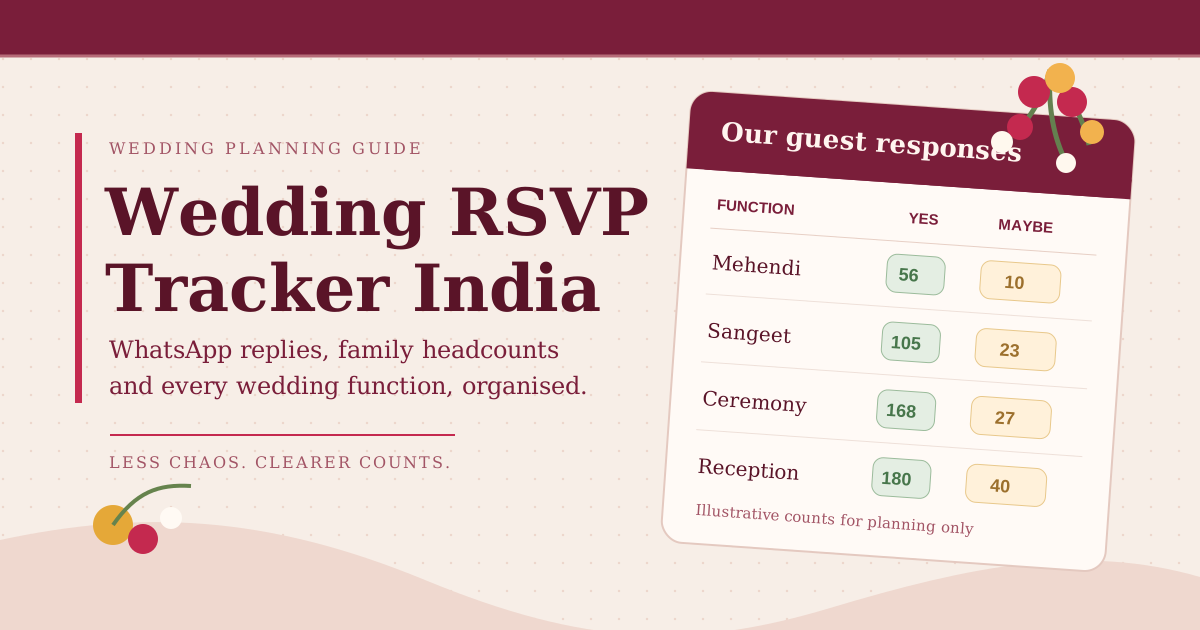
To track RSVPs for an Indian wedding, keep one master guest list, record which functions each person is invited to, capture a clear Yes, No, Maybe or Pending response, and confirm how many people are actually attending. When replies arrive on WhatsApp or by phone, update the tracker immediately and review each function's count before your caterer or venue deadline.
Indian wedding RSVP management is more complicated than counting invitations. One family may attend the ceremony but not the Sangeet. An outstation cousin may bring two children. A guest may say "we will try" in a WhatsApp group and later confirm only the reception. A useful RSVP tracker turns these scattered conversations into one reliable working plan.
What should a wedding RSVP tracker in India include?
Use one record per guest or household, but keep headcount separate from the name of the person who replies. These are the essential fields:
| Field | Example | Why it matters |
|---|---|---|
| Guest or household | Meera Rao family | Prevents duplicate entries across families |
| Family side and contact | Bride's side, primary phone | Gives each follow-up a clear owner |
| Functions invited to | Sangeet, wedding, reception | Separates the invite list for each event |
| Response | Confirmed, Maybe, Declined, Pending | Shows what is known versus assumed |
| People attending | 3 of 4 invited | Helps avoid treating one reply as one plate |
| Last contact and next action | Replied 25 Oct, confirm children by 30 Oct | Stops repeated or missed follow-ups |
| Travel and special requirements | Arriving Friday, 1 room, Jain meal | Supports hospitality planning where relevant |
Store only the details you need, limit who can access phone numbers and travel information, and avoid forwarding the complete list into large groups.
How do you track wedding RSVPs from WhatsApp?
WhatsApp is a convenient way to invite relatives, but a chat reply is not automatically a usable attendance record. Choose one person per family side to review replies and update the master list.
- Send a specific invitation. Include the names of the functions, dates, location and an RSVP deadline. Ask for the number of adults and children, not just "coming?"
- Record the actual answer. "Yes, all three of us" is confirmed. "Most likely" is Maybe. A read receipt or thumbs-up is not a confirmed headcount.
- Ask about functions. If the guest is invited to both Sangeet and reception, check whether they will attend both. Do not assume that one Yes means every event.
- Update the tracker that day. Add the response date and next follow-up owner. If someone changes their answer, replace the working count and note the change.
- Follow up only with Pending and Maybe guests. Stop chasing people who have already declined or confirmed unless there is a genuine change.
Important: A WhatsApp message or phone call does not update ShaadiScheduler automatically. If you use ShaadiScheduler's Guest List, enter or update the RSVP status yourself. The product helps organise guest records and event invitations; it is not a WhatsApp broadcast or automated RSVP collection service.
What is a polite Indian wedding RSVP message for WhatsApp?
A short, personal message is easier to answer than a forwarded card without a question. Adapt this example:
Hi [Name], we would love to celebrate with you at [Couple]'s wedding. We have invited you to the [functions] on [dates] in [city]. Could you please confirm by [date] which functions you can attend and how many people will be coming? It will help us finalise seating and hospitality. Thank you!
For a reminder, be warm and direct: "We're finalising arrangements this week. Could you let us know whether you'll be able to join us and how many will attend?" Avoid pressure or guilt. Give guests a clear way to decline gracefully.
How do you calculate confirmed and expected guests for each function?
Keep three numbers separate: invited, confirmed and expected. Invited is everyone on that function's invitation list. Confirmed is the headcount explicitly accepted. Expected is a planning estimate that includes some still-pending responses. Expected is not a vendor guarantee.
For illustration, suppose your reception list has 300 invited people. Of those, 180 have confirmed, 30 have declined, 40 are Maybe and 50 have not replied. If you provisionally estimate that half of Maybe and 30% of Pending will attend, your working estimate is 180 + 20 + 15 = 215 expected guests. Those response assumptions are examples, not Indian wedding attendance benchmarks.
| Function | Invited | Confirmed | Working expected | Next action |
|---|---|---|---|---|
| Mehendi | 80 | 56 | 66 | Check pending close family |
| Sangeet | 160 | 105 | 128 | Confirm outstation arrivals |
| Wedding ceremony | 240 | 168 | 195 | Review seating and transport |
| Reception | 300 | 180 | 215 | Confirm catering cutoff |
These counts are illustrative and are not additive across functions. A person attending three functions is one person but may require three meals. Use our Indian wedding guest-count formula to test attendance assumptions without confusing them with confirmed RSVPs.
Can one guest RSVP differently for Sangeet, ceremony and reception?
Yes. Your planning records should distinguish invited to a function from confirmed for a function. A single wedding-wide response is not always enough for food and seating commitments. For a multi-day wedding, keep a separate function-by-function response grid if the system you use only stores one overall RSVP status.
In ShaadiScheduler, the Guest List lets you assign invited events and update an overall RSVP status such as Pending, Confirmed, Maybe or Declined. Its event summaries use that overall status for guests invited to each event. It does not currently store a separate RSVP response for every function. For a guest who confirms only some of their invited events, record the event-specific detail separately before passing final numbers to vendors. This distinction prevents false precision.
If you're building the original invite list, see our guide to managing 300 guests across five events. It focuses on who is invited; this guide focuses on collecting and using responses.
When should you send invitations and RSVP reminders?
Work backwards from the written headcount deadline in your venue or catering agreement. Your guest reply deadline should leave enough time to contact non-responders and correct mistakes. For a destination wedding, ask about travel and room requirements earlier than you ask local guests about a single reception.
| Planning stage | What to do |
|---|---|
| Before invitations | Clean duplicates, assign function invitations and agree who follows up with each family |
| When invitations go out | Include an RSVP date, contact person and a request for actual party size |
| After the first replies | Update statuses, note function exceptions and confirm special requirements |
| Before the vendor cutoff | Contact Pending and Maybe guests, check the minimum guarantee and agree the final count |
| After the cutoff | Record changes separately and obtain written approval for any extra plates, rooms or seats |
The cutoff varies by supplier and contract. Never promise guests that late changes can be accommodated until your venue, caterer or hospitality team confirms it.
How do you avoid double-counting families, children and plus-ones?
Household replies are especially easy to misread. "We're coming" could mean two adults or five family members. Record both the named contact and the actual number of people expected. Ask whether infants or children are included in the caterer's billing and seating rules, rather than assuming they are free or excluded.
- Use a unique household identifier or phone contact to catch duplicates between bride and groom family lists.
- Mark plus-ones by name where practical instead of leaving an open-ended "+1".
- Separate invited count from confirmed attending count, particularly for families with children.
- Do not count an outstation guest twice because both families arranged their transport.
- Keep event-specific meals and room nights distinct from the number of unique people.
If guest numbers change after booking, check the impact on the wedding budget and the vendor payment schedule before approving additional commitments.
Should you use a spreadsheet or an RSVP tracking app?
A spreadsheet works when one or two organisers can maintain it reliably. It becomes difficult when two families are collecting replies independently and several functions need different headcounts. A planning app is useful if it reduces duplicate entry, makes ownership clearer and connects guest information with the wider wedding plan.
| Need | Spreadsheet | ShaadiScheduler Guest List |
|---|---|---|
| Names, contacts and family side | Manual columns | Structured guest records |
| Functions invited to | Manual event columns | Select invited events per guest |
| Overall RSVP status | Manual updates | Manual status updates |
| Separate RSVP per function | Can be created as separate columns | Not currently a separate response field |
| Automatic WhatsApp RSVP sync | Not built in | Not currently supported |
| Wedding budget and planning tasks | Additional tabs and formulas | Connected planning areas |
For a broader comparison, read when to move from a wedding spreadsheet to an app. Choose based on the coordination work you need to remove, not simply the number of features on a sales page.
How can ShaadiScheduler help you organise the guest list?
Start with your actual wedding events, add guests or import them in bulk, select which events each person is invited to, and update the overall RSVP status as replies arrive. Use the event summaries to review invited and overall-status counts, then check any event-specific exceptions in your separate notes before finalising catering or seating.
Bring the guest count into the wider plan: use the Budget Tracker for cost assumptions, Checklist for follow-up tasks, and Scenario Lab to explore how a larger or smaller wedding changes the plan. Do not mistake a scenario estimate for a confirmed supplier quote.
Start your ShaadiScheduler wedding plan and organise guest invitations alongside your budget and checklist. It is free to try.
Frequently asked questions about wedding RSVPs in India
What does RSVP mean on an Indian wedding invitation?
It asks the guest to respond about whether they will attend. For a multi-function wedding, ask which events they can join and how many people are attending, not only for a generic Yes or No.
Can I track wedding RSVPs through WhatsApp?
Yes. Ask guests to reply with the functions and party size, then record those replies in one master tracker. A WhatsApp chat alone is not a reliable final guest count unless someone updates the shared record.
What should I do when guests say Maybe?
Keep them in a separate Maybe category and follow up before the vendor's headcount cutoff. Do not include them in confirmed attendance until they explicitly accept.
How do I track RSVPs for different wedding functions?
Maintain a function-by-function response grid with invited, confirmed and expected headcounts. If your app only stores one wedding-wide RSVP status, record exceptions separately.
Does ShaadiScheduler send WhatsApp invitations automatically?
No. ShaadiScheduler currently helps organise guests, invited events and manually updated overall RSVP statuses. It does not automatically send WhatsApp invitations or sync replies.
When should I finalise my wedding guest count?
Agree the finalisation date with your venue and caterer, then set your RSVP deadline earlier so you have time to follow up and reconcile changes.
Next step: Decide who owns replies for each family, clean your guest list, and set one deadline for the first RSVP review. The goal is a dependable count, not just a long list of names.