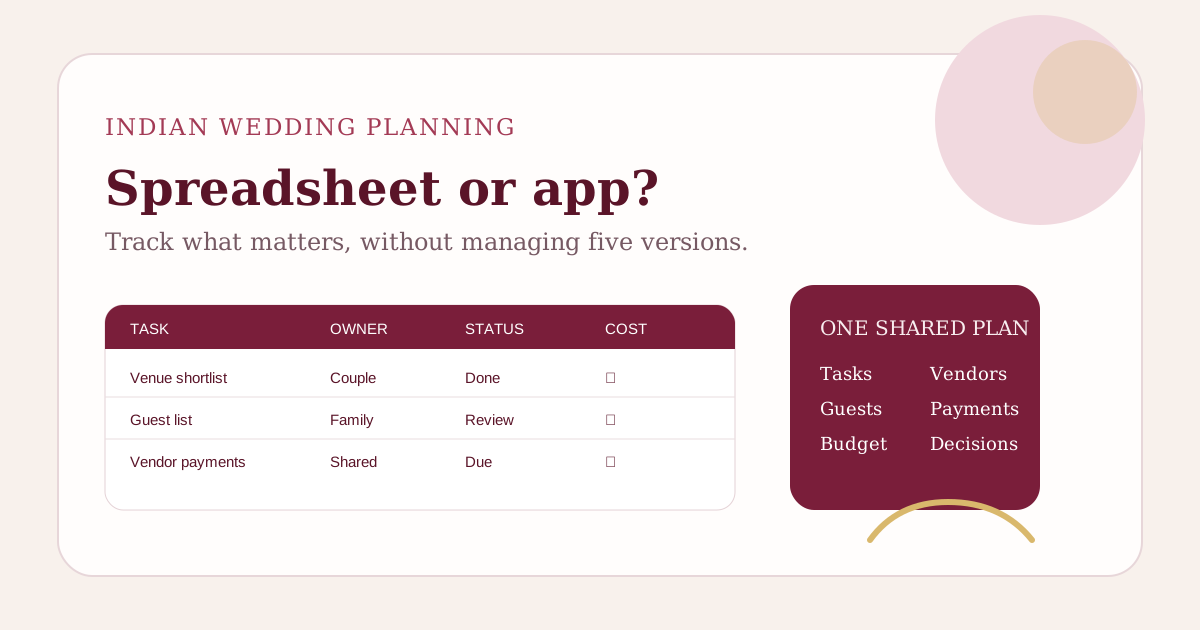
A useful Indian wedding planning spreadsheet should track five things together: tasks, guest counts, budget commitments, vendor payments and decision owners. If those areas start living in separate tabs, copies or WhatsApp threads, the spreadsheet is no longer reducing coordination work. That is usually the point to move to a shared wedding planning app.
Spreadsheets are still a good starting tool. They are flexible, familiar and easy to customise. The problem is not the spreadsheet itself. The problem is keeping one reliable version when an Indian wedding has several functions, two families, dozens of vendors and guest numbers that keep changing.
What should an Indian wedding planning spreadsheet include?
Start with a small set of connected views rather than creating a tab for every thought. Your planning sheet should answer: what needs to happen, who owns it, what it costs, who is attending and what has already been decided.
| Section | Fields to track | Why it matters |
|---|---|---|
| Tasks | Task, function, owner, due date, status, dependency | Prevents important work from becoming a chat reminder |
| Budget | Estimate, quote, committed cost, paid, balance, due date | Separates planned spend from money already paid |
| Guests | Household, people invited, function, RSVP, travel, room needs | Keeps function-level headcounts visible |
| Vendors | Vendor, scope, contact, total, advance, milestones, final balance | Connects bookings to cash flow |
| Decisions | Decision, options, owner, date, cost impact, final choice | Stops settled decisions from reopening repeatedly |
How should you structure the task tracker?
Do not use one giant checklist with no ownership. Give every task a function, owner and due date. A task such as "finalise decor" is too broad. Break it into decisions that can actually close: approve Sangeet stage layout, confirm ceremony mandap scope, sign final decor quote and share venue access time.
Use simple statuses such as Not started, In progress, Waiting and Done. Add a dependency only when another task genuinely blocks it. If the caterer needs the final guest count before confirming quantities, that dependency should be visible.
For a broader planning sequence, use our month-by-month Indian wedding timeline and convert the relevant steps into dated tasks for your wedding.
How should you track an Indian wedding budget in a spreadsheet?
Keep estimates, commitments and payments separate. If a photographer quotes ₹2,00,000 and you pay ₹50,000 as an advance, your wedding has a ₹2,00,000 commitment, not a ₹50,000 photography cost.
Use these columns:
- Category and function
- Original estimate
- Latest quoted amount
- Confirmed total
- Amount paid
- Balance due
- Next payment date
- Payment owner
- Contingency impact
Review the budget checklist before booking vendors before you lock the first large advances. Then use the vendor payment schedule guide to keep future balances from clustering unexpectedly.
How should guest tracking work across multiple functions?
Do not keep one column called "invited". Indian weddings often have different guest lists for Mehendi, Haldi, Sangeet, ceremony and reception. Track attendance by function.
At minimum, keep invited, expected and confirmed counts separate. A guest can be confirmed for the ceremony and still be pending for the reception. Outstation guests may also need room nights and transport even when they attend only some functions.
Use the guest-count planning formula when confirmations are incomplete. If you are coordinating a larger wedding, our 300-guest management guide shows why function-level lists matter.
What formulas are actually useful?
A wedding spreadsheet does not need to become a finance model. A few transparent calculations are enough:
- Outstanding balance = confirmed vendor total minus payments made.
- Budget variance = confirmed or latest expected cost minus original estimate.
- Expected attendance = confirmed guests plus a planning estimate for pending invitees.
- Available contingency = original contingency minus approved unplanned costs.
Keep assumptions visible beside formulas. A cell that says 240 guests without explaining whether that number is invited, expected or confirmed creates false certainty.
Where wedding spreadsheets usually break
The first warning sign is not the number of rows. It is the number of versions.
- One family member downloads an Excel copy while another updates Google Sheets.
- Vendor payments are tracked in a separate notes app.
- Guest additions happen in WhatsApp but never reach the guest tab.
- A budget number changes without recording why.
- Tasks are assigned verbally, so nobody knows who owns them.
- The couple spends more time reconciling the tracker than making decisions.
At that point, the planning system has become an administrative job.
Spreadsheet vs wedding planning app: which should you use?
| Need | Spreadsheet | Wedding planning app |
|---|---|---|
| Custom columns and formulas | Excellent | Depends on the product |
| Fast manual data entry | Excellent | Good |
| Connected guests, budget and tasks | Requires setup and maintenance | Can be built into the workflow |
| Multiple family members | Works with disciplined sharing | Better when roles and shared actions are supported |
| Decision history | Manual | Can be structured |
| Scenario planning | Requires formulas and copies | Can be interactive |
| Setup time | Low initially | Low when the workflow matches your wedding |
A spreadsheet wins when you want complete flexibility and are comfortable maintaining the system. An app wins when the coordination itself is becoming the problem.
When should you switch from a spreadsheet to an app?
Switch when at least two of these are happening regularly:
- More than two people are actively changing the plan.
- You are copying the same information between tabs.
- Guest changes need manual updates to budget or logistics.
- You cannot tell which vendor payment is next without checking several places.
- Family decisions are repeatedly reopened because the final choice was not recorded.
- Tasks are overdue because ownership is unclear.
- You maintain separate trackers for budget, guests and timeline.
The goal is not to abandon spreadsheets because they are old-fashioned. The goal is to reduce coordination cost.
How ShaadiScheduler approaches the same problem
ShaadiScheduler is built around the idea that wedding planning decisions are connected. A guest-count change can affect catering, rooms and budget. A new function creates tasks, vendor requirements and family responsibilities. A vendor booking creates future payment commitments.
Instead of maintaining those relationships manually, couples can keep tasks, budget, guests, decisions and scenarios in one shared planning system. Use Budget Tracker for estimated and actual spending, guest planning for attendance, Decisions Log for agreed choices and Scenario Lab to explore trade-offs before changing the plan.
Start your ShaadiScheduler wedding plan if your spreadsheet is beginning to feel like another project to manage.
A weekly 20-minute spreadsheet review
- Update new bookings and payments.
- Review tasks due in the next two weeks.
- Update guest confirmations and additions.
- Check whether guest changes affect venue, catering, rooms or transport.
- Review the next vendor payment dates.
- Record decisions made during the week.
- Confirm one owner for every open action.
If this review repeatedly takes much longer because you are reconciling different sources, simplify the system before adding more tabs.
Frequently asked questions
What should an Indian wedding planning spreadsheet include?
Track functions, tasks, owners, due dates, guest counts, budget estimates, committed costs, payments, vendors, contact details and decision status. Keep one source of truth and avoid separate copies for each family member.
Is a spreadsheet enough to plan an Indian wedding?
It can be. A spreadsheet works well for a smaller or simpler wedding when one or two people maintain it consistently. It becomes harder when several family members, functions, vendors and changing guest counts need to stay connected.
Should we use Google Sheets or a wedding planning app?
Use Google Sheets if flexibility and a familiar grid are your main needs. Use a wedding planning app when you need shared workflows, connected budgets, guests, tasks, responsibilities and scenario planning without maintaining formulas and multiple tabs yourself.
How often should we update the wedding planning sheet?
Update it after every major booking, guest-count change, payment or decision. During active planning, a short weekly review helps keep owners, due dates and balances current.
Can ShaadiScheduler replace a wedding planning spreadsheet?
ShaadiScheduler is designed to connect wedding tasks, budgets, guests, decisions and family coordination in one shared planning system. Couples can use it instead of maintaining separate spreadsheets and chat threads for each part of the wedding.
Choose the tool that reduces planning work
A good wedding planning system should make the next decision clearer. If your spreadsheet still does that, keep it simple and maintain it well. If the tracker has become a second job, start planning with ShaadiScheduler and move the connected parts of the wedding into one shared system.